
Moving capital onto Polymarket is no longer the multi-step headache it used to be. In 2026, the platform has integrated advanced “cross-chain” technology that allows you to fund your account from almost any major blockchain—including Bitcoin and Solana—in a single transaction.1
Whether you are moving funds from Ethereum, a Layer 2, or even a centralized exchange, here is how to bridge to Polymarket efficiently.
Method 1: The Official Polymarket “One-Click” Bridge (Recommended)
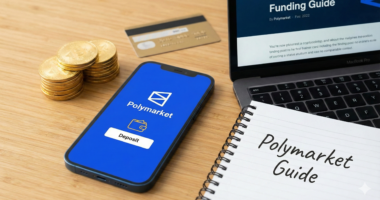
The fastest way to fund your account is using Polymarket’s native deposit tool, which handles the bridging and swapping for you behind the scenes.
- Log in to your Polymarket account and click Deposit.
- Select “Other Chains” or “Cross-Chain Deposit.”
- Choose Your Source: Select the chain you are moving funds from (e.g., Arbitrum, Base, Solana, or Ethereum).2
- Copy the Unique Address: Polymarket will generate a temporary deposit address specifically for that chain.
- Send Your Assets: Send your USDC, ETH, or SOL to that address.3
- What happens next: Polymarket automatically bridges the asset to Polygon and swaps it into USDC.e (the platform’s native collateral). Your balance will update in minutes.
Method 2: Using Third-Party “Fast” Bridges
If you are a power user moving large sums (>$10,000) and want to minimize slippage, using a specialized bridge protocol is often cheaper.
- Across Protocol: Currently the fastest bridge for Polymarket traders. It typically completes transfers from Ethereum or L2s to Polygon in under 10 seconds for a fee of just a few cents.
- Stargate/LayerZero: Ideal if you are moving funds from “non-EVM” chains or looking for deep liquidity.
- DeBridge: Often used by the “Polymarket Bro” community to move funds directly from Solana to Polygon with very low friction.
Method 3: The Centralized Exchange (CEX) Shortcut
If your funds are still on an exchange like Coinbase, Binance, or Kraken, you don’t actually need to “bridge” at all.
- Go to the Deposit page on Polymarket and copy your Polygon Wallet Address.
- Go to your exchange and select Withdraw USDC.
- Critical Step: When the exchange asks for a network, select Polygon (PoS).
- By withdrawing directly to the Polygon network, the exchange handles the “bridging” for you. This is usually the cheapest method, often costing less than $1.
The “USDC vs. USDC.e” Confusion (Updated for 2026)
A common point of friction on Polymarket is the difference between “Native USDC” and “Bridged USDC (USDC.e).”
- USDC.e: This is the version Polymarket uses for trading.
- Native USDC: If you deposit “Native” USDC (the newer Circle version), you will see a button in your Polymarket wallet that says “Activate Funds.”
- Action: Clicking this will perform a one-time swap to convert your Native USDC into the trading collateral needed for the Polymarket exchange.
Comparison of Bridging Methods
| Method | Avg. Time | Cost | Best For |
| Official Polymarket Tool | 2–5 Mins | Low/Medium | Ease of use; supports Solana/BTC. |
| Across Protocol | <15 Secs | Very Low | Speed and high-frequency traders. |
| CEX Withdrawal | 5–10 Mins | Flat Fee (~$1) | Moving money from “Fiat” to Polymarket. |
| Polygon Portal | 20+ Mins | High (L1 Gas) | Users who prefer the “official” chain bridge. |
Pro Tip for 2026: If you are bridging from a new wallet, ensure you have a tiny amount of POL (formerly MATIC) to cover gas fees on the Polygon network.4 While Polymarket offers “gasless” trading, you occasionally need POL for certain wallet-level approvals.
Ready to fund your account? Head over to the Polymarket Deposit Page to get your unique bridge address.