
Getting your money onto Polymarket is often the most confusing part for new users because the platform runs on the Polygon network, not the main Ethereum chain. If you send “regular” USDC from an exchange without selecting the right network, your funds could be stuck or lost.
As of December 2025, here is the most efficient, low-fee guide to buying USDC for Polymarket.
Method 1: The “Direct” Route (Best for Beginners)
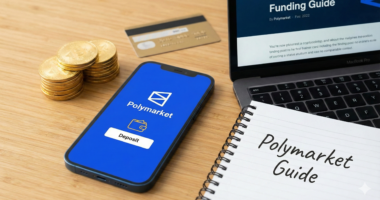
Polymarket has partnered with third-party providers to let you buy USDC directly with a credit card or bank transfer without ever leaving the site.
- Log in to your Polymarket account.
- Click the Deposit button in the top right corner.
- Select MoonPay or Stripe (options vary by region).
- Enter the amount of USD you want to spend.
- Crucial: Ensure the asset selected is USDC on Polygon.
- Complete the KYC and payment. The funds will arrive directly in your Polymarket wallet within minutes.
Method 2: The Exchange Route (Best for Low Fees)
If you already have a Coinbase, Kraken, or Binance account, this is the cheapest way to fund Polymarket.
- Buy USDC: Purchase USDC on your preferred exchange using your bank balance.
- Withdraw to Wallet: Go to your exchange’s “Withdraw” page.
- The Network Secret: When asked which network to use, you must select Polygon (not Ethereum/ERC-20).
- Note: Withdrawing on Ethereum can cost $5–$20 in gas; withdrawing on Polygon usually costs less than $0.10.
- Enter Your Address: Paste your Polymarket “Proxy” or “Deposit” address.
- Where to find it: Go to Polymarket Settings > Wallet Address.
Method 3: The “Magic” Bridge (Best if you already have Crypto)
If you have other tokens like Ethereum (ETH) or Solana (SOL) in a private wallet, Polymarket now features a “Cross-Chain Deposit” tool.
- Go to the Deposit page on Polymarket.
- Select “Other Chains”.
- Choose the asset you currently hold (e.g., ETH on Arbitrum or SOL on Solana).
- The platform will generate a unique deposit address for that specific chain.
- Send your crypto there; Polymarket will automatically swap it into USDC on Polygon and credit your account.
Summary Comparison: Which should you use?
| Method | Speed | Fees | Best For |
| MoonPay/Direct | Fast | High (3-5%) | First-time buyers, convenience. |
| Coinbase/Kraken | Moderate | Low (<1%) | Experienced users, large amounts. |
| Robinhood | Fast | Very Low | Users who already use Robinhood for stocks. |
| Cross-Chain Bridge | Variable | Moderate | Moving funds from other crypto ecosystems. |
Important Checklist Before You Buy
- Native vs. Bridged USDC: Polymarket uses “native” USDC (and sometimes USDC.e). Most modern exchanges now support native Polygon USDC, but always double-check the Polymarket deposit page for the specific token symbol they are currently accepting.
- Gas Fees (POL): If you are using a private wallet like MetaMask to send funds to Polymarket, you must have a tiny amount of POL (formerly MATIC) in that wallet to pay for the “gas” or transaction fee.
- Minimums: Most direct-buy methods (MoonPay) have a $20–$30 minimum.
Ready to place your first trade? Visit the Polymarket markets page to see what’s trending today.