
Before you can make your first prediction on the outcome of an election, a sports game, or an economic trend, you must first fund your account. For new users, depositing money onto a decentralized platform like Polymarket can seem slightly different from a traditional bank transfer.
This guide simplifies the process, ensuring you can fund your account safely and quickly.
The Golden Rule: USDC on the Polygon Network
Before initiating any transfer, you must understand the two critical requirements for Polymarket:
- The Currency: Polymarket exclusively uses USDC (USD Coin) for betting.
- The Network: Polymarket operates on the Polygon blockchain.
WARNING: Do not send Bitcoin, regular Ethereum (ERC-20), or other cryptocurrencies directly to your Polymarket address. You must send USDC specifically via the Polygon network. Sending funds via the wrong network (e.g., Ethereum mainnet) can result in the permanent loss of your funds.
Method 1: Depositing from a Centralized Exchange (Coinbase, Kraken, etc.)
For most users, the easiest way to fund Polymarket is by transferring USDC from a major exchange like Coinbase, Kraken, or Binance.
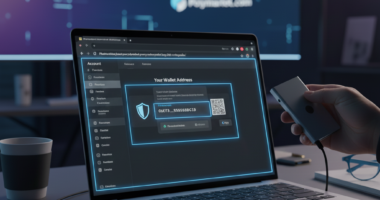
Step 1: Get Your Address
- Log in to Polymarket.
- Click the blue “Deposit” button at the top right.
- Select the “Crypto” or “Exchange” option.
- Copy your unique Polymarket Deposit Address (this starts with “0x…”).
Step 2: Withdraw from Exchange
- Go to your exchange account (e.g., Coinbase).
- Select “Withdraw” or “Send” and choose USDC.
- Paste the Polymarket address you just copied as the recipient.
- CRITICAL STEP: When asked for the “Network,” select Polygon (sometimes labeled as MATIC).
- Note: If your exchange does not support Polygon withdrawals for USDC, you will need to use Method 3.
- Confirm the transaction. The funds should arrive in your Polymarket account within minutes.
Method 2: Buying Directly with Cash (Fiat On-Ramps)
If you don’t own any crypto yet, you can buy USDC directly within the Polymarket interface using a credit card, debit card, or bank transfer. Polymarket integrates with trusted third-party providers like MoonPay, Robinhood Connect, and Coinbase Pay.
Step 1: Access the ‘Buy’ Menu
- Click “Deposit” on Polymarket.
- Select the “Buy” or “Card” tab.
Step 2: Choose a Provider You will see options such as:
- MoonPay: Allows purchases via Debit/Credit Card, Apple Pay, or Google Pay.
- Robinhood Connect: Allows you to fund directly from your Robinhood balance.
- Coinbase Pay: Connects directly to your Coinbase account for seamless transfers.
Step 3: Complete Purchase
- Enter the amount of USD you wish to convert to USDC.
- Follow the provider’s prompts to verify your identity and enter payment details.
- Once the transaction clears, the provider will automatically send the USDC to your Polymarket wallet.
Pros: Extremely convenient and beginner-friendly. Cons: Fees are typically higher (often 1-4%) compared to exchange transfers.
Method 3: Transferring from a Web3 Wallet (MetaMask, Phantom)
If you are a crypto-native user with funds already in a private wallet like MetaMask or Phantom, you can deposit directly.
Step 1: Check Your Network Ensure your wallet is connected to the Polygon network.
Step 2: Send Funds
- Open your wallet extension.
- Select USDC.
- Click “Send”.
- Paste your Polymarket deposit address.
- Enter the amount and confirm.
What if I have funds on Ethereum Mainnet? If your USDC is on Ethereum (Layer 1), you cannot send it directly. You must first Bridge it.
- Use the official Polygon Bridge or a third-party bridge (like Hop Protocol or Across) to move USDC from Ethereum to Polygon.
- Once the funds arrive on the Polygon side of your wallet, send them to your Polymarket address.
Troubleshooting & Tips
- Minimum Deposits: While Polymarket doesn’t strictly enforce high minimums, on-ramp providers (like MoonPay) usually have a minimum purchase amount (e.g., $30).
- Gas Fees: Because Polymarket uses Polygon, network fees are incredibly low (fractions of a cent). However, some exchanges charge a flat fee for withdrawals.
- Wait Times: Polygon is fast. Deposits typically appear in 1–5 minutes. If it takes longer, check a blockchain explorer (like PolygonScan) using your address to see if the transaction is pending.
By following these steps and ensuring you are always on the Polygon network, you can fund your Polymarket account securely and start trading on the world’s largest prediction market.